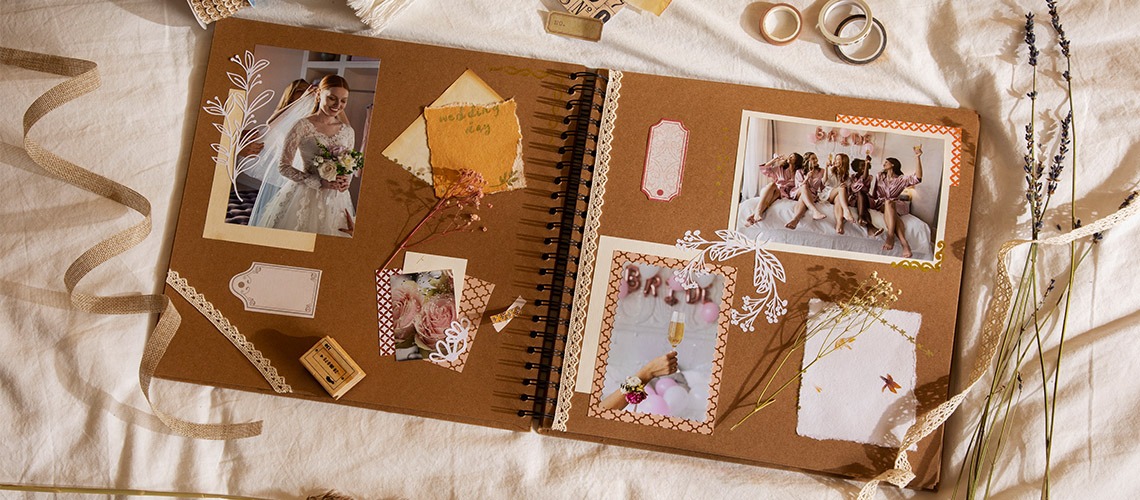
Designing and producing custom photo albums and photo books involves creating personalized collections of photographs that commemorate special events, experiences, and memories. These albums are crafted with attention to detail and creativity, ensuring that each book is a unique keepsake. Here’s a comprehensive guide to designing and producing custom photo albums and photo books:

Purpose of Custom Photo Albums and Photo Books

  1. Preserve Memories: Provide a tangible way to preserve and relive special moments and experiences.
  2. Gift and Keepsake: Serve as thoughtful gifts for loved ones and lasting keepsakes for personal enjoyment.
  3. Showcase Photography: Display professional photography in a beautifully designed format.

Types of Custom Photo Albums and Photo Books

  1. Wedding Albums: Capture the highlights of the wedding day, from preparation to ceremony and reception.
  2. Travel Photo Books: Document travel adventures, featuring landscapes, landmarks, and candid moments.
  3. Family Albums: Chronicle family events, gatherings, and milestones over the years.
  4. Baby Books: Record a baby’s first years, including milestones, growth, and special moments.
  5. Portfolio Books: Showcase a photographer’s or artist’s best work in a professional and stylish format.
  6. Event Albums: Commemorate special events such as birthdays, anniversaries, graduations, and more.

Designing a Custom Photo Album or Photo Book

  1. Planning and Organization:

    • Select Photos: Choose the best and most meaningful photos for inclusion in the album.
    • Organize by Theme: Group photos by themes, events, or chronological order to create a coherent narrative.
    • Determine Layout: Plan the layout for each page, considering the number of photos, their arrangement, and any accompanying text.
  2. Choosing a Style and Theme:

    • Album Style: Decide on the overall style of the album, whether it’s modern, classic, whimsical, or minimalist.
    • Color Scheme: Select a color scheme that complements the photos and matches the theme of the album.
    • Cover Design: Choose a cover design that reflects the album’s content, such as leather, linen, or a custom photo cover.
  3. Layout and Design Elements:

    • Photo Placement: Arrange photos in a visually appealing manner, balancing different sizes and orientations.
    • White Space: Use white space effectively to avoid overcrowding and to highlight key photos.
    • Borders and Frames: Add borders or frames to photos for a polished look.
    • Text and Captions: Include text, captions, or quotes to provide context and enhance the storytelling.
    • Backgrounds and Patterns: Choose backgrounds and patterns that enhance the visual appeal without distracting from the photos.
  4. Using Design Software and Tools:

    • Professional Software: Use professional design software like Adobe InDesign, Lightroom, or specialized album design software.
    • Online Services: Utilize online photo book services that offer customizable templates and easy-to-use design tools (e.g., Shutterfly, Blurb, Mixbook).